
LED Smart Ceiling Lamps RGB APP Remote Control Dimming Modern Home Lighting Music Light with Speaker For Living Room Bedroom
11.8inch(30cm) / WHITE / changeable|220V
$44.95
Sale price
$44.95
Regular price
$63.97
Skip to product information










LED Smart Ceiling Lamps RGB APP Remote Control Dimming Modern Home Lighting Music Light with Speaker For Living Room Bedroom
$44.95
Sale price
$44.95
Regular price
$63.97
SPECIFICATIONS
Application: Kitchen,Dining Room,Bed Room,Foyer,Study
Base Type: Wedge
Body Material: ABS
Brand Name: BENEWTON
Certification: ce,LVD,LVD,CE
Choice: yes
Color: WHITE
Finish: None
High-concerned chemical: None
Installation: Surface mounted
Installation Method: self-contained
Is Bulbs Included: Yes
Is Dimmable: Yes
Is Smart Device: Yes
Item Type: ceiling lights
Light Source: LED bulbs
Lighting Area: 10-15square meters
Luminous Flux: 2000-82000
Material: PP/Plastic
Number of light sources: > 20
Origin: Mainland China
Power Source: AC
Style: Modern Style
Switch Type: Remote Control
Use: Daily Lighting
Voltage: 220 V
Warranty: 1 Year
Product Features
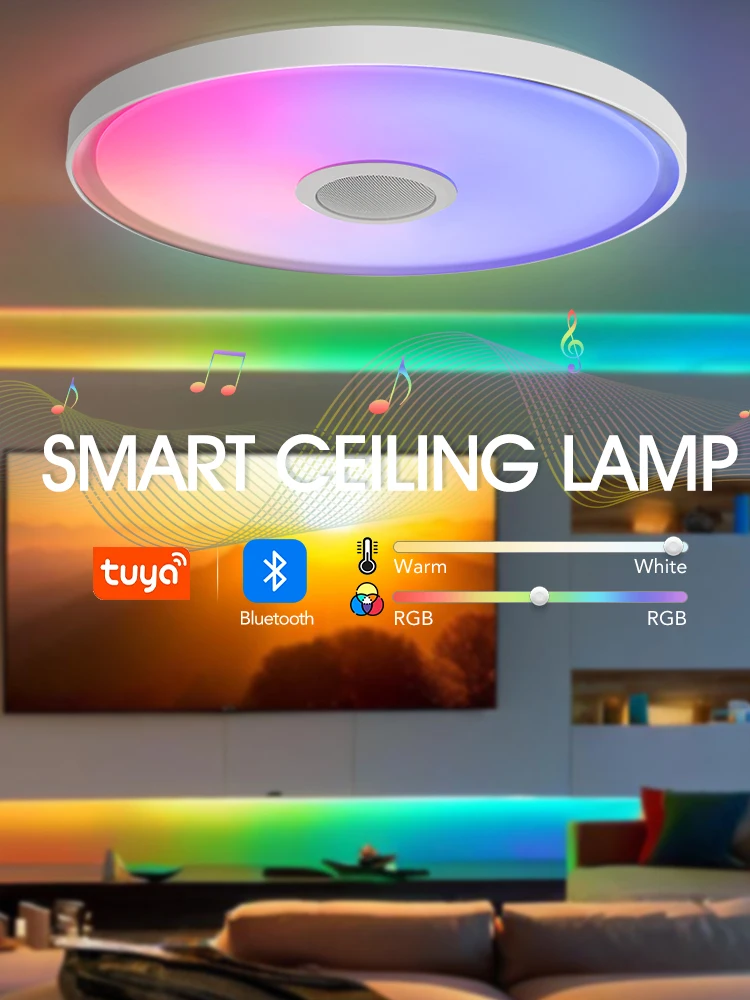
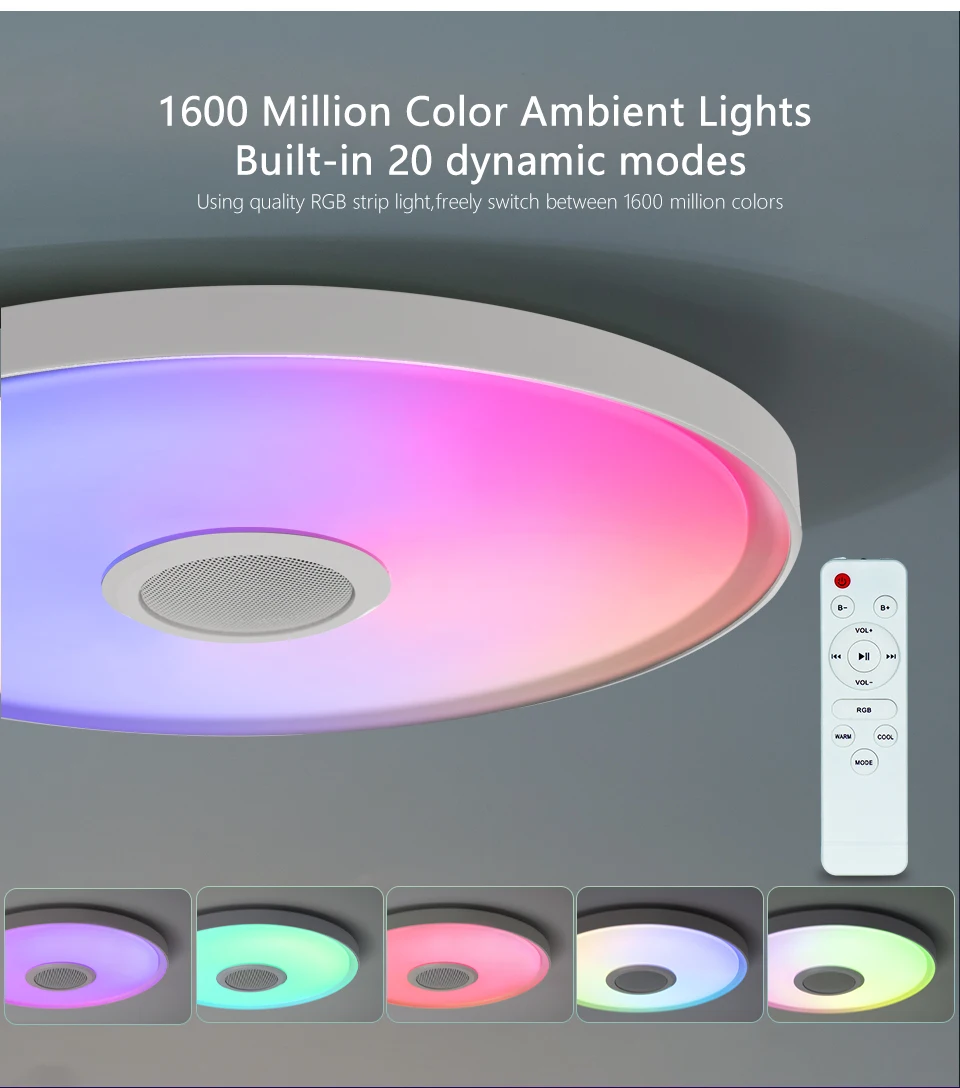
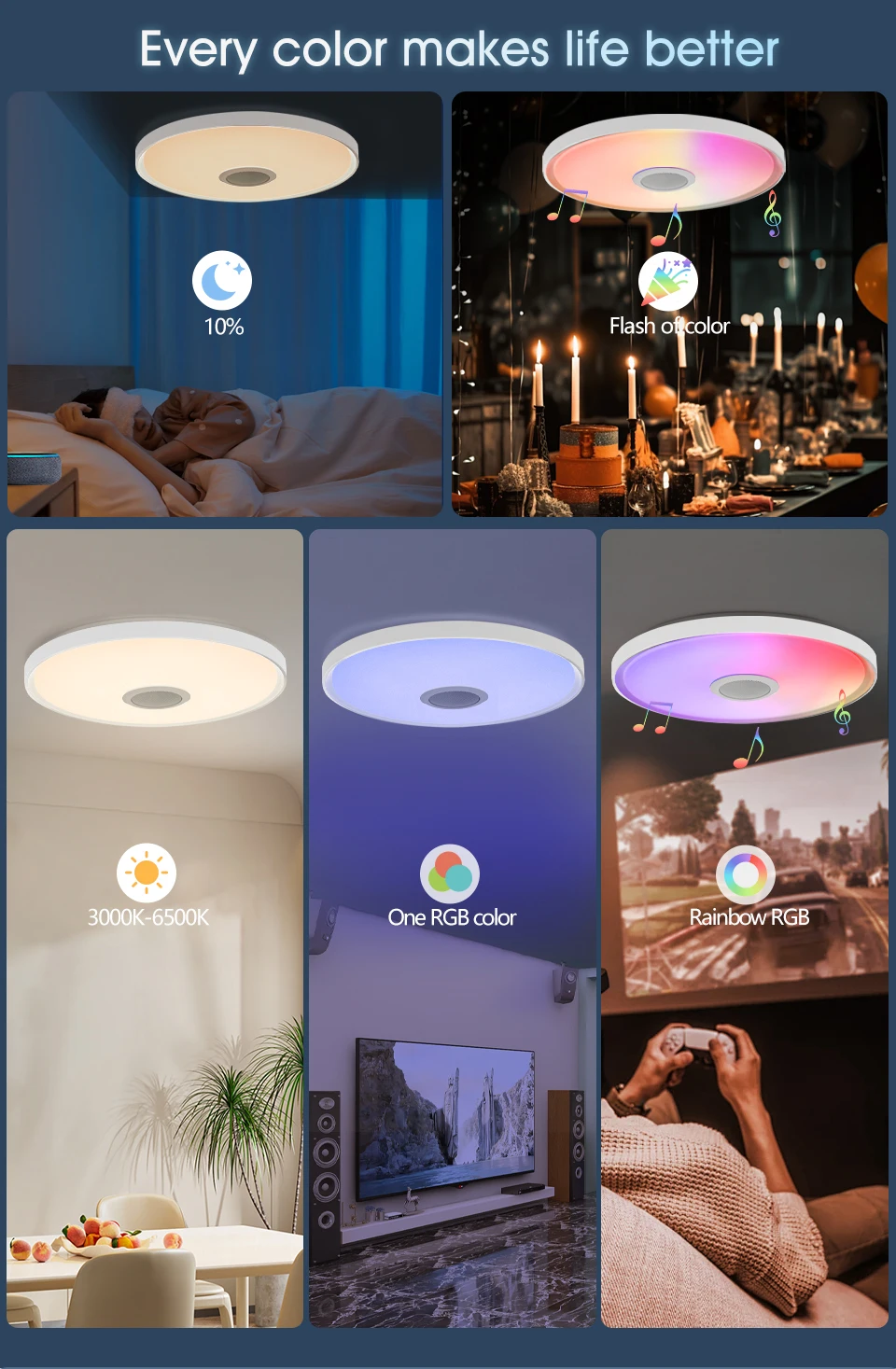
1. Color variation of lighting: Supports RGB mode, with 16 million colors to switch freely, meeting your lighting needs in different scenes.
2. Intelligent dual control: can be remotely controlled through the TUYA APP, and can easily adjust lighting modes, brightness, color temperature, etc; It can also be operated with a matching remote control to make lighting control simpler.
3. Accompanied by music: Built in speaker, connect to Bluetooth to play music from your phone, adding more fun to your home life.
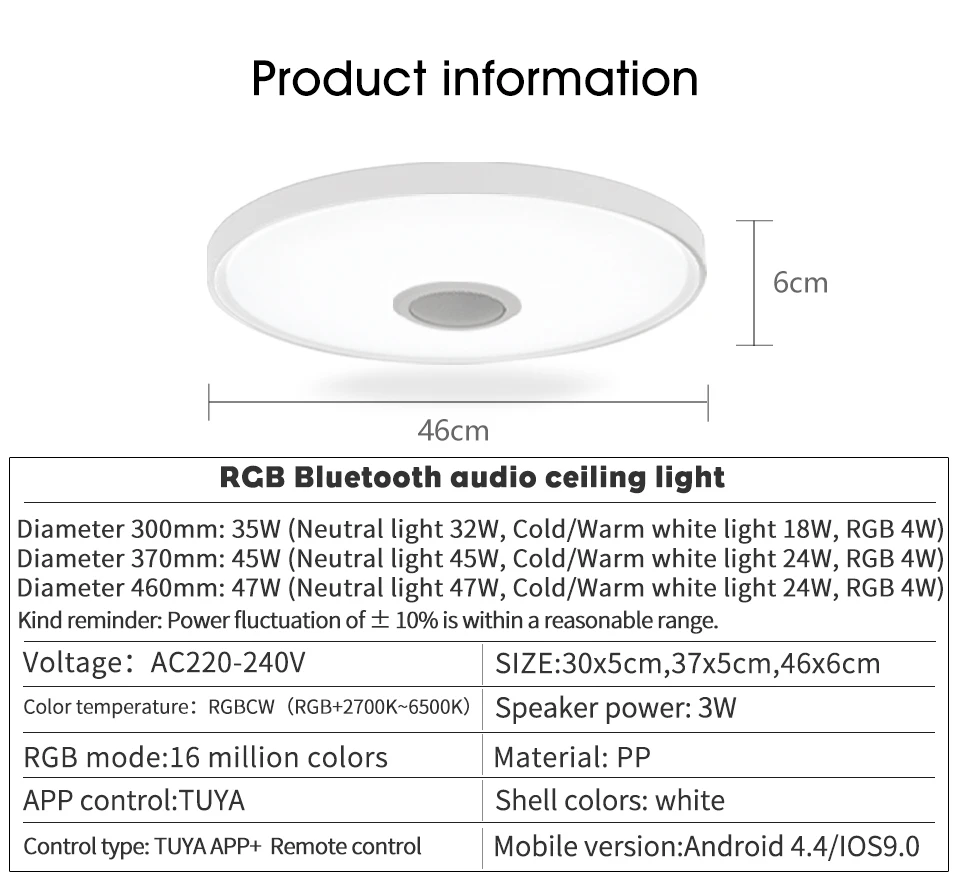
4. Multiple specifications: We offer three diameter specifications of 300mm (32W), 370mm (45W), and 460mm (47W) to meet the lighting needs of different room sizes.
5. Safe and durable: The shell is made of PP material, which is lightweight, sturdy and durable, with good heat dissipation performance, effectively extending the service life of the lamp.
Scenario Application
Product Specifications
1. Diameter: 300mm, 370mm, 460mm
2. Power: 35W (300mm specification), 45W (370mm specification), 47W (460mm specification), with different power distributions for neutral light, warm and cool white light, and RGB light; Power fluctuation of ± 10% is within the normal range
3. Voltage: AC220-240V
4. Color temperature: RGBCW (RGB+2700K-6500K)
5. Control method: TUYA APP+remote control
6. Bluetooth version: compatible with Android 4.4/iOS 9.0 and above mobile devices
7. Material: PP
8. Shell color: white
9. Speaker power: 3W
Product Display
FAQ
Q1.How to use the sound system of the ceiling light to play music?
A1.Turn on Bluetooth on your phone, find "RGB Light" in the Bluetooth device list, and click connect. After successful connection, open the mobile music player to play music.
Q2.How to switch between RGB mode and tri color temperature mode?
"A2.When using a wall switch: the color temperature will switch every time the lights are turned on and off;
When using the APP: Find the mode switching option in the APP, click to switch between RGB dazzling mode and cool white/warm white/neutral white three color temperature mode;
When using the remote control, simply press the corresponding mode switch button."
Q3.How to pair the ceiling light with the app?
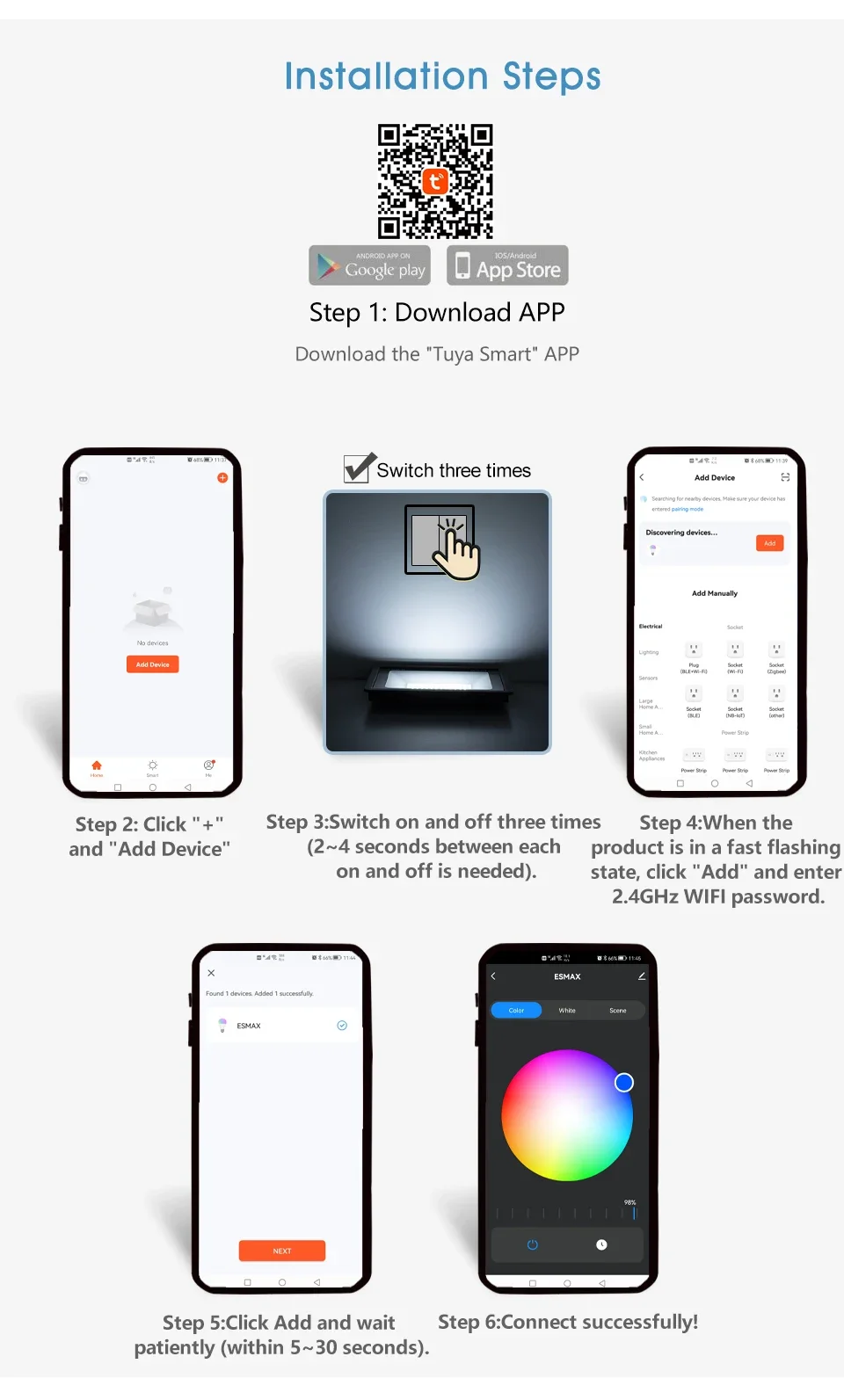
A3.Firstly, ensure that the graffiti/smart life app is installed on the phone, open the app, and register and log in. Then find the "Add Device" option in the app, turn on the power supply of the ceiling light, follow the prompts in the app, enter the Wi Fi password when the light is in the distribution network state (usually flashing or specific prompts), and wait for the app to search and connect the light.
Q4.What should I do if I can't connect to the app?
"A4.Firstly, clear the code. The specific steps are:
Turn on the lights, then wait for 3-5 seconds to turn off the lights, then wait for 3-5 seconds to turn on the lights, and then wait for another 3-5 seconds to turn off the lights. Repeat this process for 3-5 seconds until the code is cleared, and then you can reconnect to the app. If you still cannot connect, please check if the app is the latest version."
Q5.Why is there no response after switching the lighting mode?
A5.It may be due to unstable connection that the instruction transmission failed. You can check the connection status between your phone and the lighting fixture and try switching operations again. If there is no response when using the remote control to switch, check if the remote control battery is fully charged.